
O-4-205 Worker Professional License Verification
👤 RESPONSIBLE POSITION | ROLE
Hiring Manager, Business Manager or Designee
🎯 PURPOSE
It is the policy of Adara Home Health to verify licensure to ensure the professional has a valid license to practice their profession and/or their position with the Company.
Licenses for the following positions will be verified on-line at the following time points:
- At the time of hire
- At each renewal period
- As requested
🔄 PROCESS
Select a licensure type to navigate to that section:
| Licensure Type | Instruction Section |
| RN, LPN | Verify a Nursing License |
| PT, PTA | Verify a Physical Therapy License |
| OT, OTA | Verify an Occupational Therapy License |
| ST (SLP) | Verify a Speech Therapy License |
| MSW | Verify a Medical Social Work License |
Verify a Nursing License
- Navigate to the Minnesota Board of Nursing website credential search: https://mbn.hlb.state.mn.us/#/services/onlineEntitySearch
- The search fields will display:
- Last Name
- First Name
- Credential Type
- Credential #
-
Search for the worker, typically by Last and First Name.
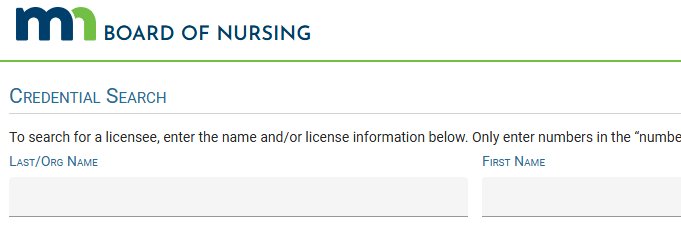
- You will often have multiple results. If needed, add additional filters by selecting the Credential Type (RN, LPN, etc) from the dropdown or by entering the license number in the Credential # field, if you have it.
- Review the record details, such as birth year, middle name, and gender, to ensure the individual whose record you have found is the correct individual.
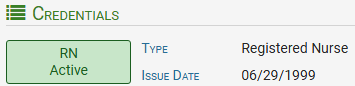
- Ensure the licensure is active.
-
Example of active licensure:
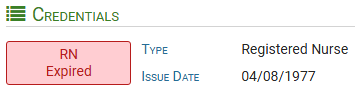
Example of expired licensure.
-
If the licensure is expired, immediately escalate this to management.
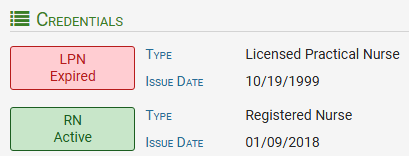
Example of active RN licensure but expired LPN licensure - in this situation, the active RN licensure has replaced the expired LPN licensure.
-
There is no escalation needed in this case, as the individual is actively licensed to practice as an RN (as long as the person has been hired for an RN role and is set up in our systems as an RN).
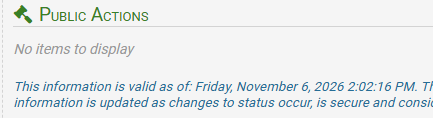
Review the Public Actions section to ensure there are no items listed here.
-
-
- If you find there is an entry under Public Actions, immediately escalate this to management.
-
Next, proof of licensure must be saved to our worker records. On the far right of the individual's record, click Print. A printer-friendly proof of licensure for that specific individual will open in a pop-up window.
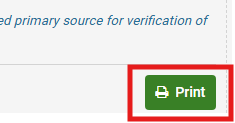
- Use the printer dialog to save the document as a PDF in the worker record in their Licenses folder.
-
Enter the expiration date under the renewable requirements tab in HCHB.

Verify a Physical Therapy License
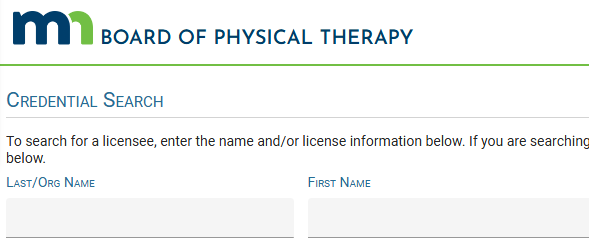
- Navigate to the Minnesota Board of Physical Therapy website credential search: https://mbn.hlb.state.mn.us/#/services/onlineEntitySearch
- The search fields will display:
- Last Name
- First Name
- Credential Type
- Credential #
- City
- County
- Zip
-
Search for the worker, typically by Last and First Name.
- You will often have multiple results. If needed, add additional filters by selecting the Credential Type (PT, PTA) from the dropdown or by entering the license number in the Credential # field, if you have it.
- Review the record details, such as birth year, middle name, and gender, to ensure the individual whose record you have found is the correct individual.
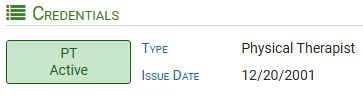
- Ensure the licensure is active.
-
Example of active licensure:
Example of expired licensure.
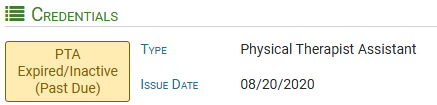
-
If the licensure is expired, immediately escalate this to management.
Review the Public Actions section to ensure there are no items listed here.
-
-
- If you find there is an entry under Public Actions, immediately escalate this to management.
-
Next, proof of licensure must be saved to our worker records. On the far right of the individual's record, click Print. A printer-friendly proof of licensure for that specific individual will open in a pop-up window.
- Use the printer dialog to save the document as a PDF in the worker record in their Licenses folder.
-
Enter the expiration date under the renewable requirements tab in HCHB.
Verify an Occupational Therapy License
- Navigate to the Minnesota Board of Occupational Therapy website credential search: https://mbn.hlb.state.mn.us/#/services/onlineEntitySearch
- The search fields will display:
- Last Name
- First Name
- Credential Type
- Credential #
- City
- County
- Zip
-
Search for the worker, typically by Last and First Name.
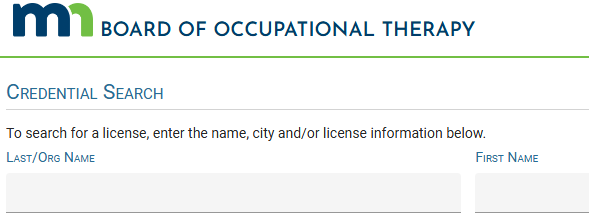
- You will often have multiple results. If needed, add additional filters by selecting the Credential Type (OT, OTA) from the dropdown or by entering the license number in the Credential # field, if you have it.
- Review the record details, such as birth year, middle name, and gender, to ensure the individual whose record you have found is the correct individual.
- Ensure the licensure is active.
-
Example of active licensure:
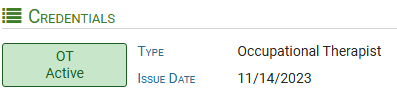
Example of expired licensure.
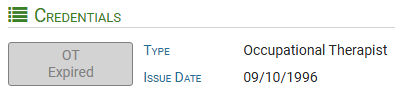
-
If the licensure is expired, immediately escalate this to management.
Review the Public Actions section to ensure there are no items listed here.
-
-
- If you find there is an entry under Public Actions, immediately escalate this to management.
-
Next, proof of licensure must be saved to our worker records. On the far right of the individual's record, click Print. A printer-friendly proof of licensure for that specific individual will open in a pop-up window.
- Use the printer dialog to save the document as a PDF in the worker record in their Licenses folder.
-
Enter the expiration date under the renewable requirements tab in HCHB.
Verify a Speech Therapy License
- Navigate to the Minnesota Department of Health Healthcare Provider Lookup website credential search: https://mbn.hlb.state.mn.us/#/services/onlineEntitySearch
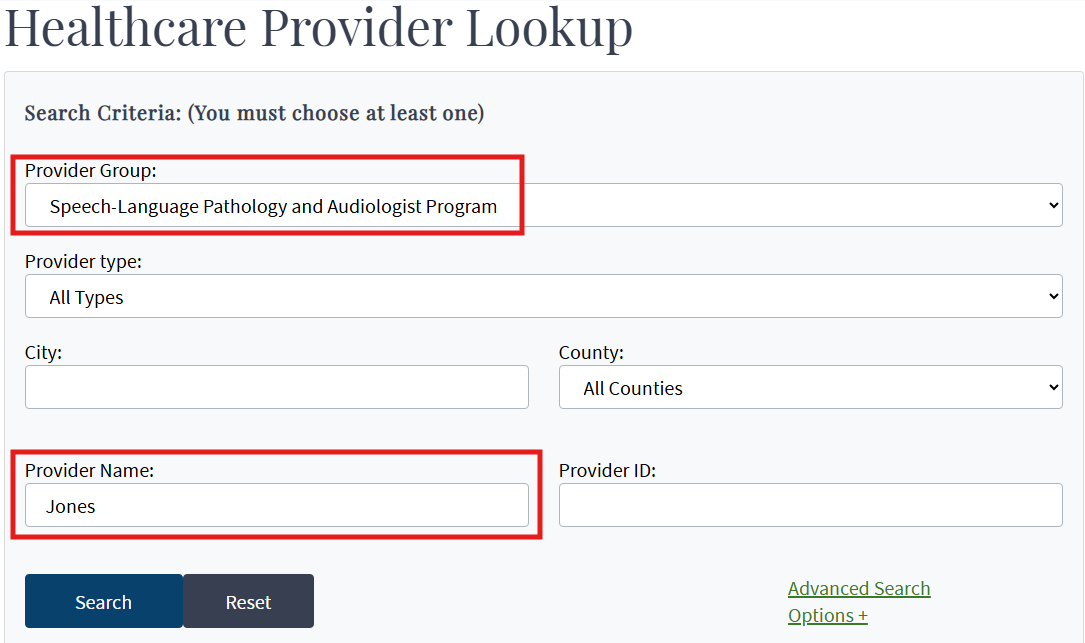
- The search fields will display:
- Provider Group
- Provider type
- City
- County
- Provider Name
- Provider ID
- Search for the worker by completing these fields:
- Provider Group: Select Speech-Language Pathology and Audiologist Program
-
Provider Name: Enter the worker's last name
-
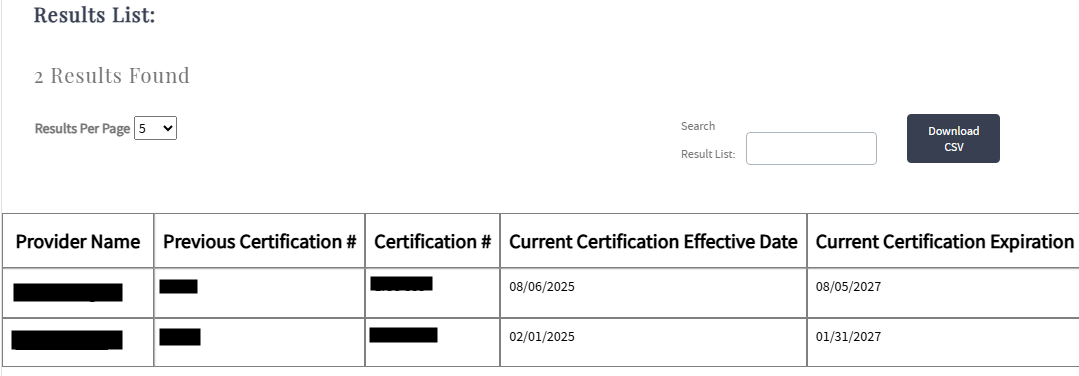
Select Search. Results will load; you will often have multiple results.
-
Select the individual according to their full name and a pop-up window with more details will open.
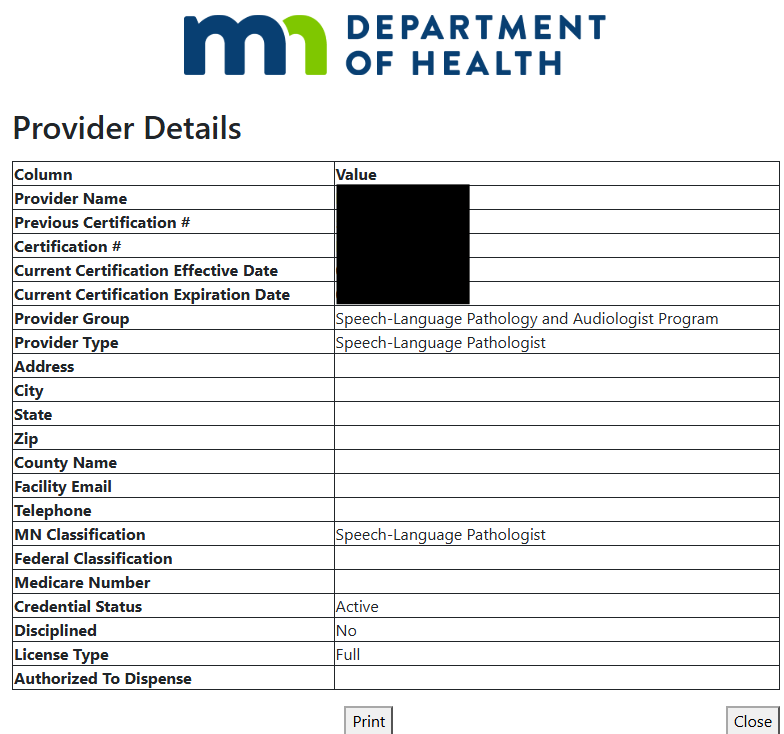
- Ensure the individual whose record you have found is the correct individual. If needed, connect with the individual themselves and obtain their certification number to verify.
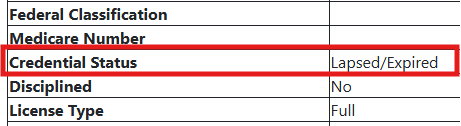
- Ensure the licensure is active.
-
Example of active licensure:
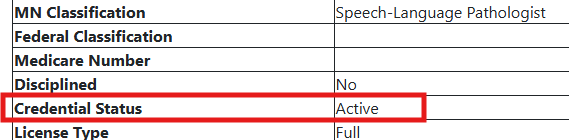
Example of expired licensure.
-
If the licensure is expired, immediately escalate this to management.
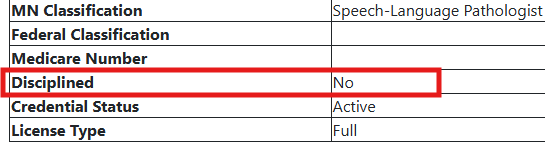
Review the Disciplined line to ensure the response here is No.
-
-
- If the response is anything other than No, immediately escalate this to management.
- Next, proof of licensure must be saved to our worker records.
-
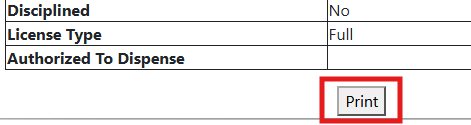
Save the webpage as a PDF by clicking Print at the bottom of the pop-up window.
- Save this document in the worker record in the Licenses folder.
-
Enter the expiration date under the renewable requirements tab in HCHB.
Verify a Medical Social Work License
- Navigate to the Minnesota Board of Social Work website credential search: https://mbn.hlb.state.mn.us/#/services/onlineEntitySearch
- The search fields will display:
- Last Name
- First Name
- Credential Type
- Credential #
- City
- County
-
Search for the worker, typically by Last and First Name.
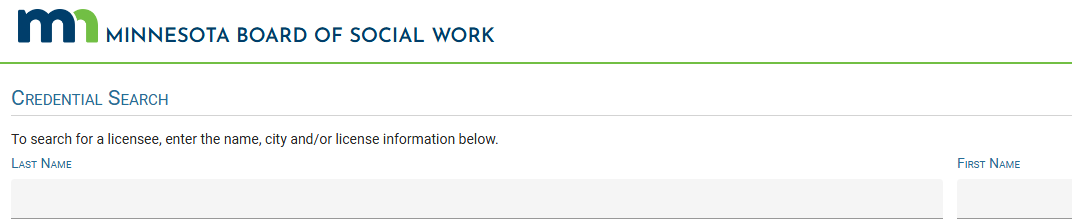
- You will often have multiple results. If needed, add additional filters by selecting the Credential Type from the dropdown or by entering the license number in the Credential # field, if you have it.
- Review the record details, such as middle name, to ensure the individual whose record you have found is the correct individual.
- Ensure the licensure is active.
-
Example of active licensure:

Example of expired licensure.

-
If the licensure is expired or inactive, immediately escalate this to management.
Review the Public Actions section to ensure there are no items listed here.
-
-
- If you find there is an entry under Public Actions, immediately escalate this to management.
-
Next, proof of licensure must be saved to our worker records. On the far right of the individual's record, click Print. A printer-friendly proof of licensure for that specific individual will open in a pop-up window.
- Use the printer dialog to save the document as a PDF in the worker record in their Licenses folder.
- Enter the expiration date under the renewable requirements tab in HCHB.
📅 Effective: 011.11.2010 | 🛠️ Revised: 11.06.2026 | ✅ Approved: JFJ