
O-11-517 Update Diagnoses in Back Office
👤 RESPONSIBLE POSITION | ROLE
Clinical Supervisor
🎯 PURPOSE
Field clinicians are only able to update diagnosis codes in PointCare at specific time points including Start of Care, Recert, Resumption of Care, Follow Up and Add-On Evaluations. Back Office clinicians are able to adjust diagnosis codes in a Physician Order at any time as codes may require additions or revisions at other times during the Plan of Care.
🔄 PROCESS
- Go to Client Orders:
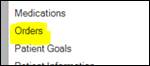
- From Clinical Input, go to Medical Record Info, then Orders:

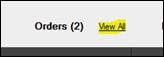
- From Client Snapshot, select View All next to Orders:
- Select Add Order:

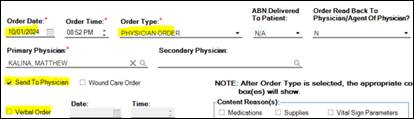
- Select Order Type: Physician Order. Then complete the rest of the applicable fields including Order Date, Time, and Verbal Order Date/Time
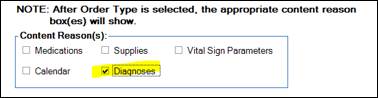
- Select Content Reason: Diagnoses:
- Within the Order Description, writer a brief narrative of the code revision/addition:

- Select the Diagnoses tab:
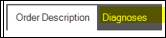
- The following edits may be made within the order:

- Select Add Diagnosis to add a new diagnosis code:
- To edit an existing diagnosis, select the diagnosis code and select Edit:
- To delete a diagnosis, select the code and select Delete:
- Select Move Up or Move Down to adjust the sequencing of codes:
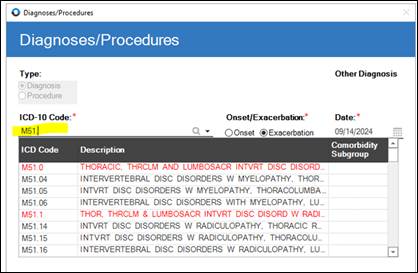
- With the Diagnosis editor, either type the code or select the magnifying glass to view the available diagnoses:
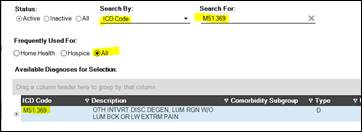
- If selecting the magnifying glass, select All to ensure codes aren’t filtered out:
- Select Save & Close:

- Select Save & Close to close the order:

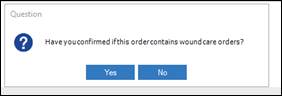
- Select Yes:
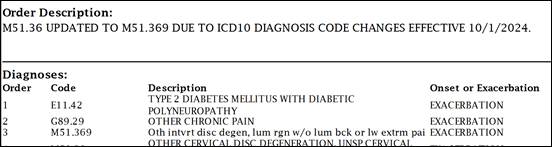
- Code adjustment and order description will print to the order:
📅 Effective: 09/18/2025 | 🛠️ Revised: | ✅ Approved: JS