
O-14-221 Review BILLING PROBLEM FOLLOW-UP Coordination Note
👤 RESPONSIBLE POSITION | ROLE
Elig/Auth Coordinator | Authorization Specialist
🎯 PURPOSE
After being created by the billing Account Manager, the coordination note BILLING PROBLEM FOLLOW-UP generates to the Elig/Auth Coordinator HCHB Workflow to notify them of a billing problem which needs their attention.
The Elig/Auth Coordinator will then follow up on the issue and utilize this workflow to track the steps they take by adding follow-up comments to the coordination note via the workflow task.
Only after the issue is completely resolved will the Elig/Auth Coordinator mark the note as reviewed, which will complete the task out of workflow.
🔄 PROCESS
-
After the Account Manager discovers a problem billing issue and creates the BILLING PROBLEM FOLLOW-UP coordination note, the note will generate to the Elig/Auth Coordinator responsible position in HCHB Workflow under the Review Coordination Notes tab.

-
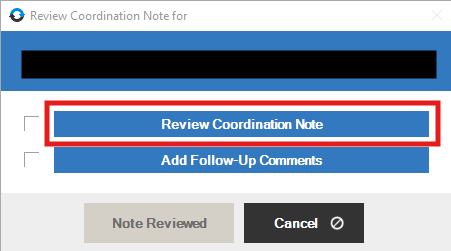
Open the workflow and click Review Coordination Note to open the coordination note; review the contents.
-
Follow up on the billing problem. Document follow-up completed by selecting Add Follow-Up Comments within the task.
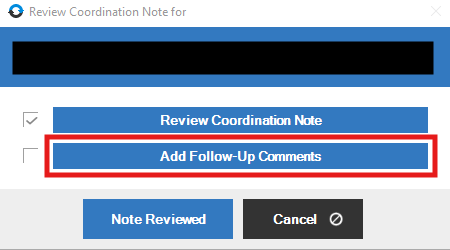
- DO NOT select Note Reviewed until the issue is resolved.
- As you continue to follow up on the issue over time, continue adding follow-up comments into the coordination note to document steps taken, contact information obtained, and anything else relevant to the case.
- After the problem is entirely resolved, open the task and enter a final Follow-Up Comment indicating the issue is resolved and that workflow is being completed.
- For example: "Issue resolved; completing workflow."
- This entry helps the billing team to coordinate resolution on their end.
-
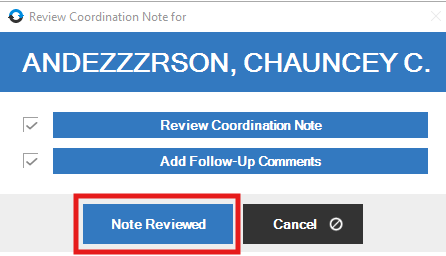
Then, select Note Reviewed to mark the issue as resolved and clear the task from workflow.
📅 Effective: 10.22.2026 | 🛠️ Revised: N/A | ✅ Approved: JFJ