
O-11-101 Annual Education Tracking
👤 RESPONSIBLE POSITION | ROLE
Office Employee(s) Designated by Area Manager (Business Manager, Clinical Supervisor, and/or Other Designee)
🎯 PURPOSE
By following this process, each office tracks and documents the completion of Annual Education by their workers (both employees and contractors).
Tracking the required Annual Education information in Home Care Home Base uses two entries in the Worker Console: a Renewable Requirement and an annual HR Log.
- The Renewable Requirement tracks completion of annual education.
- The HR Log is specific to the year and records the specific courses and hours the worker has completed.
🔄 PROCESS
- Ensure the worker has the ANNUAL EDUCATION Renewable Requirement entered in HCHB.
- The Missing HR Log and Renewable Requirement Report can be used to identify workers who have not had this Renewable Requirement entered.
- If the worker needs the ANNUAL EDUCATION Renewable Requirement added, follow these steps to add their renewable requirement:
- Proceed to step 3 if the worker already has the renewable requirement added.
-
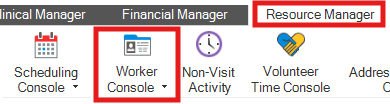
Go to the Worker Console under the Resource Manager tab, locate the worker's record, and double-click the record.
-
The worker’s profile will open. Select the Renewable Requirements tab.

-
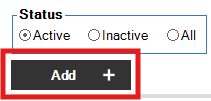
Click Add.
-
In the pop-up window, select ANNUAL EDUCATION under the Renewable Requirement dropdown.
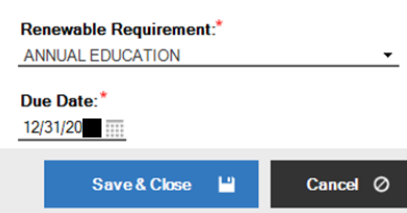
- Enter the due date as the last day of the current year (e.g. 12/31/2026).
- Click Save & Close.
- After a worker has completed ALL the requirements for the year's Annual Education, add the HR Log under 20_ _ INSERVICES COMPLETED (use the current year) by completing the following:
-
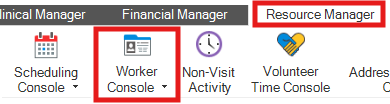
Go to the Worker Console and select the worker.
-
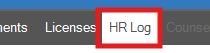
Go to the HR Log tab.
-
Click Add.
- Under the HR Log Type dropdown, select 20_ _ INSERVICES COMPLETED (use the current year).
- Enter the Completed Date.
- In the Comments section, using the provided templates for that specific year, enter the items completed by the worker.
-
Templates are provided annually by corporate staff during Annual Education rollout. Entering this information here ensures that appropriate and specific documentation is on file and accessible.
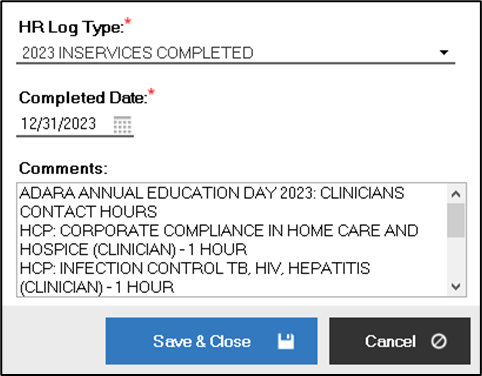
Example of Annual Education HR Log completed in 2023.
-
- Click Save & Close.
-
- Update the Renewable Requirement to the next year’s end date by completing these steps:
-
Go to the worker’s Renewable Requirements tab.
-
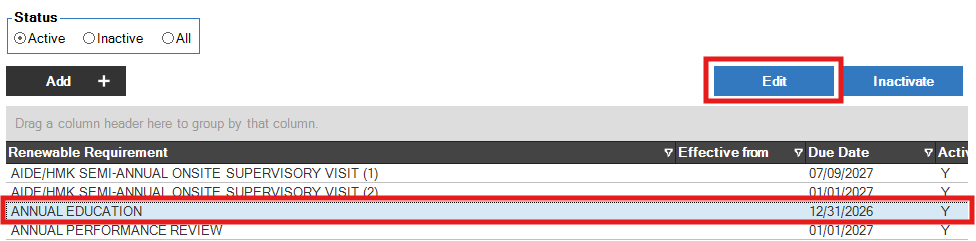
Click ANNUAL EDUCATION and then click Edit.
-
Update the due date, entering the next year’s end date.
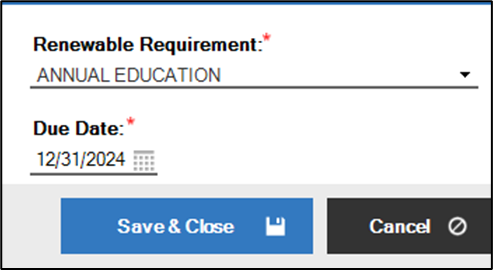
Example of the Renewable Requirement being updated following completion of 2023 Annual Education. - Click Save & Close.
-
- This completes entry of Annual Education tracking data in HCHB.
📅 Effective: 07.26.2023 | 🛠️ Revised: 09.11.2026 | ✅ Approved: JFJ