
O-11-412 Address Unlicensed Missed Visit
👤 RESPONSIBLE POSITION | ROLE
Staffing Manager or Designee
🎯 PURPOSE
The following process is for managing unlicensed missed visits, which include Home Health Aide (HHA) and Homemaking (HMK) visits.
Whenever possible, a visit which was attempted (but not made) should be rescheduled to take place within that same week. However, if rescheduling is not possible, or the client is refusing the visit during that week, this process then applies. The visit is then considered missed because we will not be fulfilling the ordered visits.
Because a missed visit modifies the frequency of visits the physician has ordered, the client's physician/non-physician practitioner (NPP) must be notified of the missed visit(s) within ten (10) business days of the missed visit.
To accomplish this, a Missed Visit Notification must be completed to be sent to the client's physician/NPP, and the the visit will need to be updated as Missed in HCHB.
NOTE
When a visit has been attempted but not made, this process as well as O-11-411 Address Unlicensed Attempted Visit must be completed the same day as the attempted visit so the employee will receive the appropriate pay.
🔄 PROCESS
- If the missed visit has been attempted, unlicensed personnel must communicate attempted visits to the Staffing Manager/office immediately as described in O-11-411 Address Unlicensed Attempted Visit and F-12-121 Attempted Visits - Unlicensed Staff.
- Direct the field staff member to return the attempted visit to the office, removing it from their tablet, by marking it Rescheduled as laid out in F-12-122 Reschedule Visit - Unlicensed Staff.
- Attempt to reschedule the visit to take place within that same week. If rescheduling the visit is not possible or the client is refusing the visit during that week, you may then proceed with this process, as in this case the visit is now considered missed since we will not be fulfilling the ordered visits.
- Create a Missed Visit Notification coordination note, which will be sent to the client's physician/NPP, by following these steps:
-
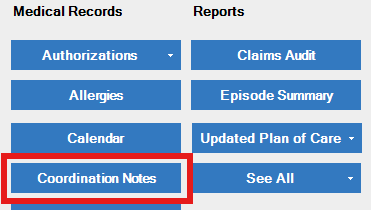
From the Patient Snapshot, select Coordination Notes.
-
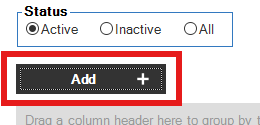
Select Add to create a new note.
-
In the Note Type field, select Missed Visit Notification.

-
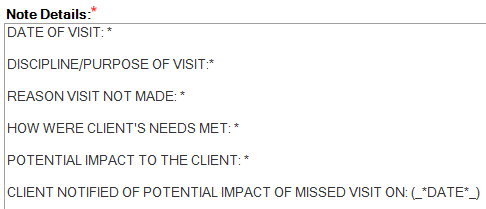
Complete the template as prompted. The information documented here will be sent to the client's physician/NPP.
-
When complete, select Save & Close.

-
- After you save the Missed Visit Notification, it will route to Administrative Specialist workflow to be sent to the client's physician/NPP by that responsible position.
- When the Reschedule Visit task for this visit populates in HCHB workflow under the Staffing Manager responsible position, complete these steps to mark the visit as Missed.
-
Locate the Reschedule Visit task for the specific client in HCHB workflow. The task will be under Patient-Related tasks.

-
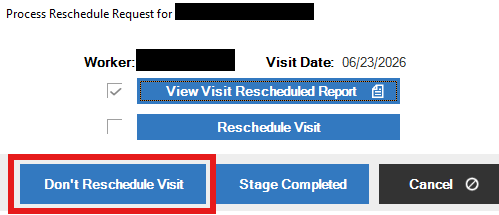
Open the task. Select View Visit Rescheduled Report.
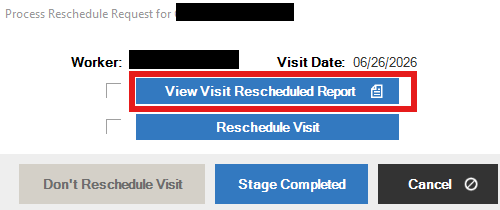
- Close the report; no information is needed from this report in this case (but you will not be able to complete the task without viewing the report).
-
Select Don't Reschedule Visit.
-
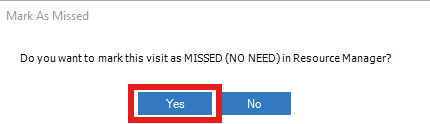
A window with will open asking if you would like to mark the visit as MISSED. Select Yes.
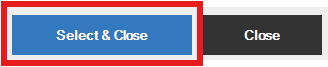
- A list of Visit Missed Reasons will open. Select the most appropriate reason.
-
Select Select & Close.
- This action completes the task. The workflow task will close as completed, and the visit will have been marked as missed.
-
- This completes the items required: to notify the physician/NPP of the missed visit and to mark the visit as missed in HCHB.
📅 Effective: 08.19.2026 | 🛠️ Revised: N/A | ✅ Approved: JFJ