
O-11-107 Set Up HCHB to Always Save Settings
🎯 PURPOSE
All back office employees are encouraged to complete this process to have HCHB save their settings. This preserves the filters and sorting applied to HCHB Workflow and to Clinical Input at the end of their workday so that when they log back into HCHB after closing it, the previous filters and sorting applied will remain as they were at time of their previous logout.
🔄 PROCESS
-
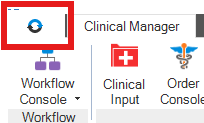
After logging into HCHB, click the Orb in the upper left of the main page.
-
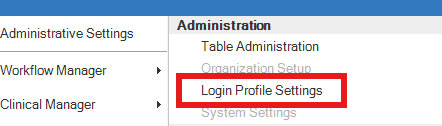
From the menu which opens, select Login Profile Settings.
-
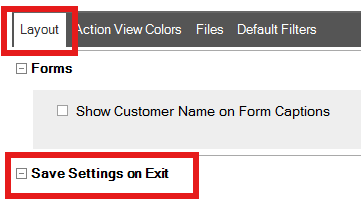
A new window will open. Under the Layout tab, find the section labeled Save Settings on Exit.
-
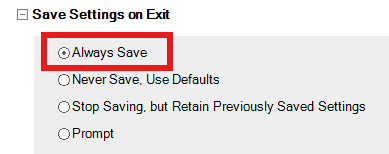
Select Always Save.
- Select Save & Close.
📅 Effective: 08.05.2026 | 🛠️ Revised: N/A | ✅ Approved: JFJ