
O-5-142 Access Insurance Contact List in Zoom
👤 RESPONSIBLE POSITION | ROLE
Elig/Auth Coordinator | Authorization Specialist
If you ever find that a phone number listed has changed or that any of the information in an imported contact needs to be updated, please email support@adarahomehealth.com.
🎯 PURPOSE
This process shows how to access the contact list of insurances' phone numbers in Zoom. These contacts are used when completing benefits checks with insurances via phone call.
🔄 PROCESS
In Zoom, any contact may be found by searching in the field above your dial pad to find that contact.

To see the contact list in full and locate a contact in the contact list, complete the following steps:
- In your Zoom app, select Contacts.
-
If you don't see a Contacts tab, select More, which will display more options including the Contacts tab.

-
-
On the left, find the Directory section.
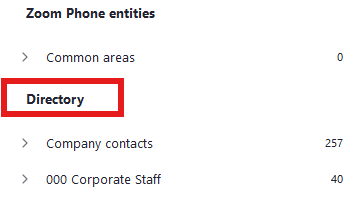
- Scroll down within Directory until you see Imported contacts.
-
Select Imported contacts so that it expands. You will now be able to view and select from the list of insurance phone numbers.
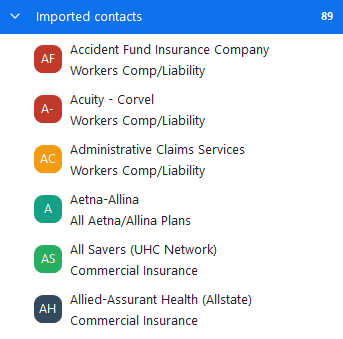
- You may also see a Shared contact list titled "Insurances...". This is a secondary location for these contacts and it may also be used to locate these contacts.
📅 Effective: 07.27.2026 | 🛠️ Revised: N/A | ✅ Approved: JFJ