
O-11-210 Update Client Care Types
🎯 PURPOSE
Care types may be added at Intake or during an episode of care to further categorize a client based on specific needs or services provided. If a pending episode is created BEFORE a care type is added, the care type must be entered into both Current AND Pending episodes. If a care type is no longer applicable, it must be ended.
🔄 PROCESS
Add Client Care Type
-
In Clinical Input, find client and double-click to view the referral:

-
Go to the Referral Source tab:

-
Select Add Care Type:

-
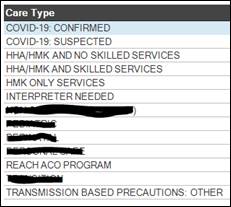
Select magnifying glass to view options:

-
Select appropriate care type(s):
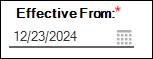
- Review Effective From date and update if needed.
-
Date will default to the date the care type was added:
-
-
Select Apply Selection:

-
Select Save & Close:

Update Client Care Type:
- If a care type was added in error, it must be deleted:
-
Select care type, then select Delete Care Type:

-
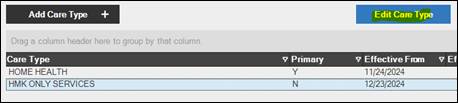
- If a care type is no longer applicable (ie: COVID-19), update Effective To date to end active Care Type:
-
Select care type, then select Edit Care Type:
-
Update Effective To date:

-
Select Save & Close:

-
📅 Effective: 12.23.2024 | 🛠️ Revised: 10.19.2026 | ✅ Approved: JS