
O-14-310 Payroll Detail Report - Ensure Per-Visit and Hourly Pay Accuracy
👤 RESPONSIBLE POSITION
Business Manager
In branches without an active Business Manager, this is typically completed by the Area Manager.
🎯 PURPOSE
Every other week when Payroll Manager notifies all is ready, a final report is reviewed to ensure payroll for hourly and per-visit employees is accurate. This report is cross-compared with employees pay stubs which are sent to the Business Manager by the Payroll Manager.
🔄 PROCESS
-
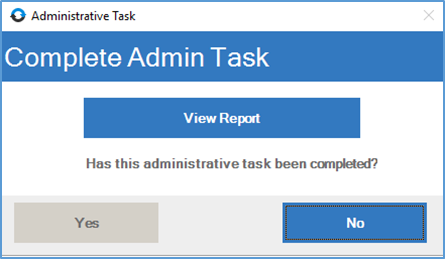
The task will appear in workflow like this. Open the task.

-
Select View Report.
-
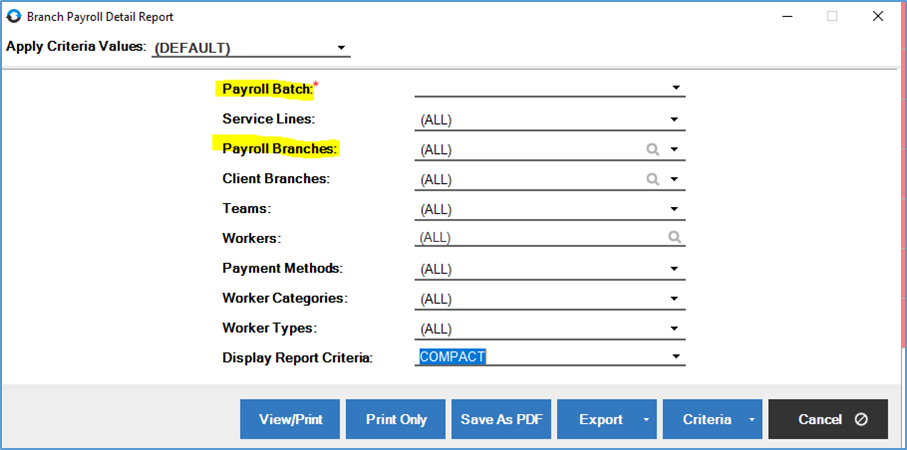
The highlighted fields will need selections made:
-
Under Payroll Batch the highlighted reports for the latest date range for Per Visit and Hourly must be reviewed. In this process, two reports from the latest date range must be reviewed and cross-compared with the payroll report sent from the Payroll Manager, which will show the paystubs for the correlating pay range, both for paraprofessional non-salaried staff as well as per-visit staff.

-
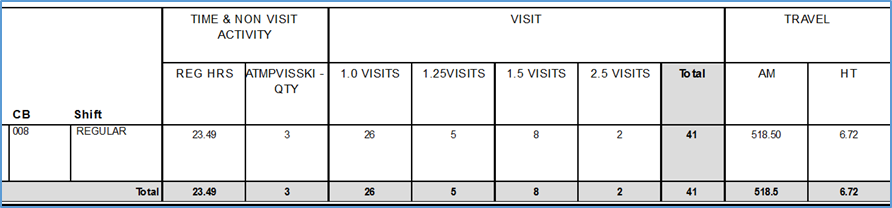
For per visit staff, pay amounts will generate for completed visits. Any $0 amounts on visits (excluding medical treatment codes) must be questioned and corrected. Any hourly time worked, however, will have a $0 pay rate as the hourly rate will be applied upon export by payroll. Attempted visits are paid per quantity and should have a pay amount.

- For paraprofessionals, all visits and NVA’s should have a $0 pay rate (hourly rate will be applied upon export by payroll). If any attempted visits are on the report, review Dayforce to ensure the $10 bonus has been entered for non-salaried paraprofessional staff members.
-
Total hours worked should match the paystubs sent via email by the payroll manager. Actual mileage calculated when paid (52 cents/mile) should be very similar to their mileage reimbursement. Paraprofessional staff are paid mileage from HCHB so their mileage reimbursement amount should be exact, while the mileage reimbursement for professional staff members is paid via Company Mileage and may be slightly different.
-
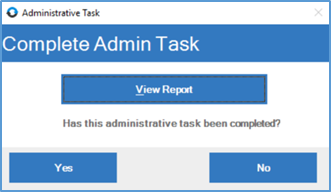
When all has been reviewed and any issues found have been resolved, complete the administrative task by selecting Yes.
📅 Effective: 08.21.2025 | 🛠️ Revised: 05.14.2026 | ✅ Approved: JFJ