
O-14-308 Detailed Mileage Analysis Report - Review Adjusted Mileage for Paraprofessionals
This process is completed as part of the larger overarching process O-11-104 Weekly Payroll Pre-Batching, which you should reference to ensure this process is completed at the correct time in sequence with other related processes.
👤 RESPONSIBLE POSITION
Business Manager
🎯 PURPOSE
Review of this report ensures accuracy of calculated mileage and adjusted mileage for paraprofessional staff. Paraprofessional staff are paid mileage reimbursement from the adjusted mileage amounts exported from HCHB; accuracy of the adjusted mileage directly impacts their pay.
Note: If when reviewing this report there are any paraprofessional visits remaining on the worker schedule report or scheduling requests report (as reviewed in payroll pre-batching tasks 1 and 2) this report must be run and reviewed a second time after these visits are completed. Do not complete the task until all scheduled and requested paraprofessional visits have been addressed to ensure no visits are omitted from all steps of review required by the overall payroll pre-batching process and sub-processes.
🔄 PROCESS
-
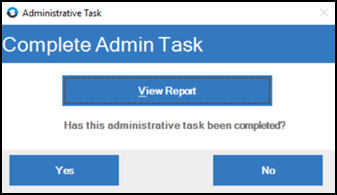
Open the task, which appears like this in workflow:

If running this report throughout the week outside of workflow to work ahead:
- In HCHB Report Manager, navigate to: Financial Manager > Report Manager > Detailed Mileage Analysis Report
-
Select View Report.
-
A pop-up window will open, loading the criteria for the report. In the dropdown for Apply Criteria Values in the upper left, select PAYROLL PRE-BATCHING.
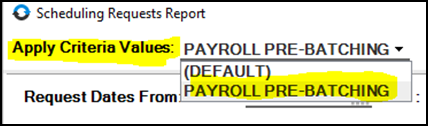
- The criteria will load with the following. Update the criteria in the two highlighted fields:
- Report Date From… To: These dates should be the week beginning and week ending date for the week prior to the week you are in.
- Payroll Branches: Select your home branch.

- Review the report, comparing calculated mileage and adjusted mileage to ensure worker is being paid accurately.

- This report will sort data by worker and then display each trip segment sorted by day and sequenced by time. The report includes destination addresses, calculated mileage, and adjusted mileage.
- The Adjustment column shows the commute adjustment that is being made. The Daily Totals row for the Adjustment column will show the total mileage after the commute adjustment is applied.
- When the mileage at the beginning and end of the worker’s day is subtracted from the calculated mileage, the resulting total is the adjusted mileage. Adjusted mileage (not calculated mileage) is the mileage the paraprofessional worker will be paid.
-
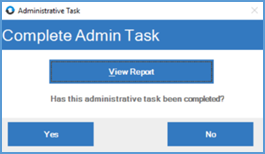
After all visits are addressed and all issues have been resolved, mark the administrative task as complete by returning to the administrative task window and selecting Yes.
📅 Effective: 08.21.2025 | 🛠️ Revised: 05.14.2026 | ✅ Approved: JFJ