
O-14-306 Visit Time Audit Report - Identify Excessive Documentation Time
This process is completed as part of the larger overarching process O-11-104 Weekly Payroll Pre-Batching, which you should reference to ensure this process is completed at the correct time in sequence with other related processes.
👤 RESPONSIBLE POSITION
Business Manager
🎯 PURPOSE
This task identifies any excessive documentation time so that it can be corrected prior to payroll. Errors which may be caused by excessive documentation time include: overlaps with other time entries, inaccuracy in productivity reporting for the documenting clinician, and inaccurate paid leave time accruals.
If when reviewing this report there are any visits remaining on the worker schedule report or scheduling requests report (as reviewed in payroll pre-batching tasks 1 and 2) this report must be run and reviewed a second time after these visits are completed. Do not complete the task until all scheduled and requested visits have been addressed to ensure no visits are omitted from all steps of review required by the overall payroll pre-batching process and sub-processes.
🔄 PROCESS
-
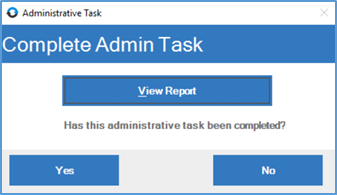
Open the task, which appears like this in workflow:

If running this report throughout the week outside of workflow to work ahead:
- In HCHB Report Manager, navigate to: Financial Manager > Report Manager > Visit Time Audit Report
-
Select View Report.
-
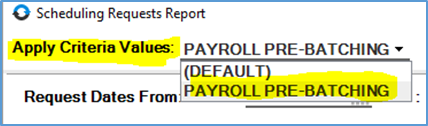
A pop-up window will open, loading the criteria for the report. In the dropdown for Apply Criteria Values in the upper left, select PAYROLL PRE-BATCHING.
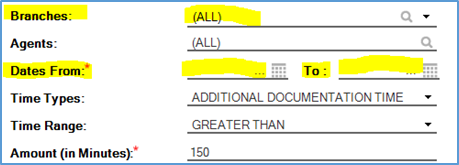
- The criteria will load with the following. Update the criteria in the two highlighted fields:
- Branches: If you have access to more than one branch, select only your home branch.
-
Dates of Visit From… To: These dates should be the week beginning and week ending date for the week prior to the week you are in.
- Some visits may populate. If no visits populate, proceed to step 9.
- Review the documentation time and service codes of the visits to identify if the time spent documenting is excessive for the particular service codes. Reach out to the Clinical Supervisor for information on whether a documentation time would be considered excessive for the particular service code.
- If an excessive documentation time is identified for a visit, follow up with field staff member who performed the visit to learn if the documentation time is accurate or needs to be corrected.
- If a correction is needed, correct the documentation time within the visit itself and enter a late entry within the visit to document the visit modification.
-
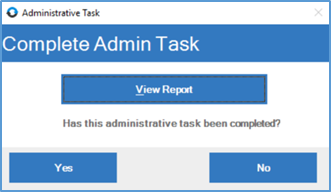
After all visits are addressed and all issues have been resolved, mark the administrative task as complete by returning to the administrative task window and selecting Yes.
📅 Effective: 08.21.2025 | 🛠️ Revised: 05.14.2026 | ✅ Approved: JFJ