
O-14-303 Client Visit Summary Report - Ensure Correct Billing of Self-Pay Visits
This process is completed as part of the larger overarching process O-11-104 Weekly Payroll Pre-Batching, which you should reference to ensure this process is completed at the correct time in sequence with other related processes.
👤 RESPONSIBLE POSITION
Business Manager
🎯 PURPOSE
In this process, review of the Client Visit Summary report and cross-comparison with Biller Notification coordination notes for each specific client ensures that self-pay visits are marked as billable or non-billable accurately.
Each full week of visits is reviewed as part of the payroll pre-batching process so that any errors are resolved prior to weekly billing.
If you proceed to review other reports in payroll pre-batching prior to this task being complete, know that the reports must be reviewed a second time in full context of anything potentially affected to ensure no visits are omitted from all steps of review required by the overall payroll pre-batching process and sub-processes. However, if none of the visits remaining on either the Scheduling Requests Report or the Worker Schedule Report will be billed to self-pay, this task may be completed since any outstanding visits will not affect this task.
🔄 PROCESS
-
In the Administrative Tasks tab of the Worker Console, the following task populates weekly every Monday morning at 8:00am. Open the task.

If running this report throughout the week outside of workflow to work ahead:
- In HCHB Report Manager, navigate to: Financial Manager > Report Manager > Client Visit Summary Report
-
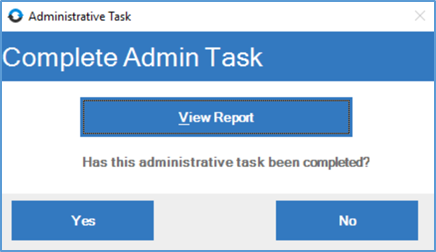
Select View Report.
-
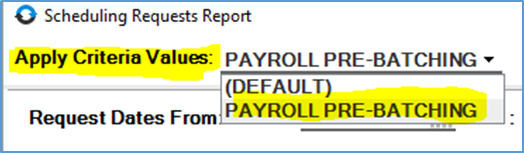
A pop-up window will open, loading the criteria for the report. In the dropdown for Apply Criteria Values in the upper left, select PAYROLL PRE-BATCHING.
- The criteria will load with the following. Update the criteria in the two highlighted fields:
- Dates of Visit From… To: These dates should be the week beginning and week ending date for the week prior to the week you are in.
-
Branches: If you have access to more than one branch, select only your home branch.
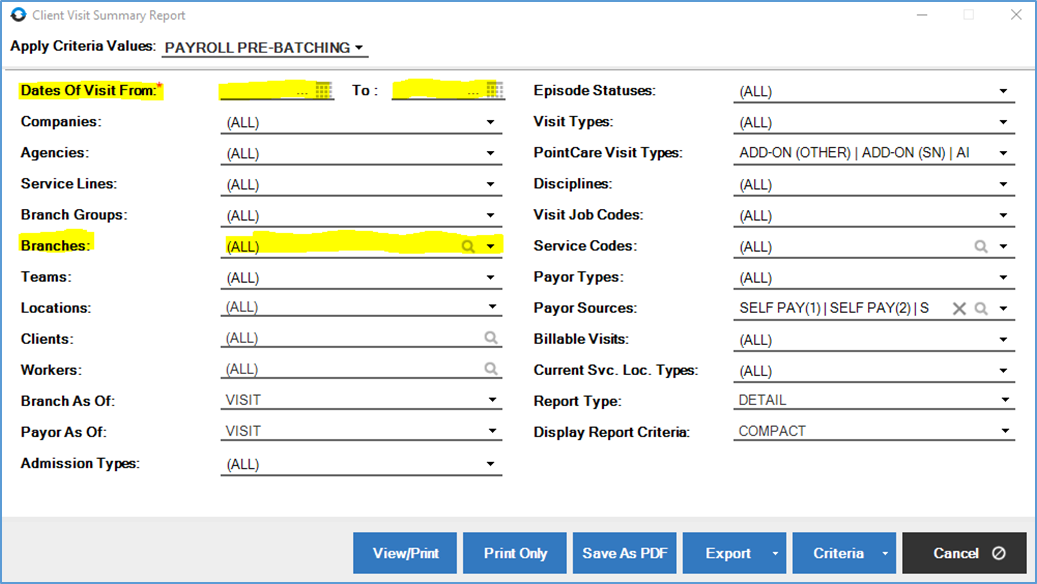
- Select View/Print to view the report.
-
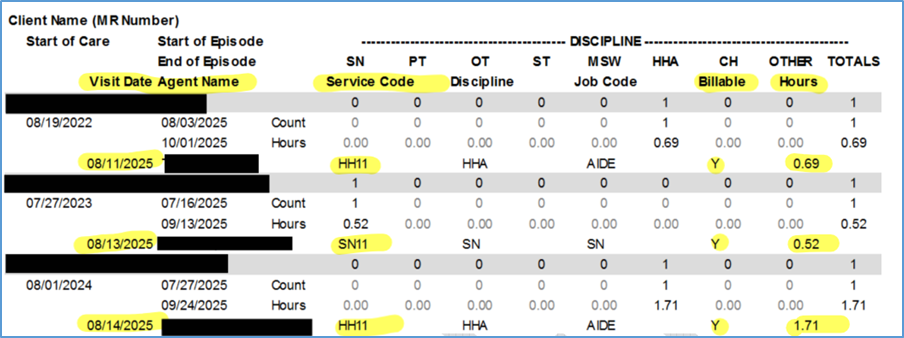
In the report, review the visits, with particular attention to the Billable column.
-
Leaving the report open, navigate to the HCHB Main window and open Clinical Input.
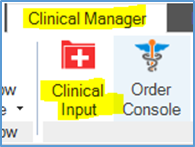
- For each client found in the Client Visit Summary Report, complete the following steps 9-11 repeatedly until each client’s visits have been cross-compared with that client’s most recent Biller Notification coordination note.
-
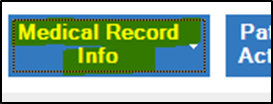
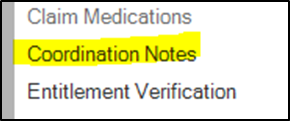
Locate the client in Clinical Input and open their Coordination Notes window by selecting Medical Record Info and then Coordination Notes from the submenu.
-
Locate the most recent Biller Notification coordination note, which will have information directly transcribed from the information found in the most recent signed Service Agreement.
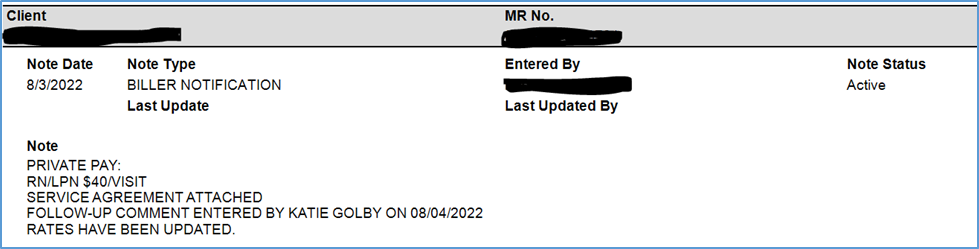
- Cross-compare data.
- Ensure the visits billable/non-billable status in the Client Visit Summary Report match the indications for billable/non-billable found in the Biller Notification note.
- If there is a discrepancy, follow up to ensure the visit is marked as billable or non-billable accurately.
- If the visit is a home health aide visit, these visits can be billed either as an intermittent visit (using service code HH11) or hourly (using service code HH11H). Ensure the service code in the report matches the data in the biller notification as to whether we are billing hourly or intermittent visit. If a discrepancy is found, follow up with the Authorization Specialist and Staffing Manager to resolve the issue.
-
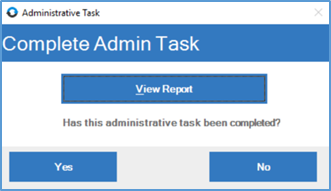
When the report has been reviewed and all issues have been resolved, mark the administrative task as complete by returning to the administrative task window and selecting Yes.
📅 Effective: 08.21.2025 | 🛠️ Revised: 05.14.2026 | ✅ Approved: JFJ