
O-14-106 Review Visit Time Exception
👤 RESPONSIBLE POSITIONS
Business Manager
Clinical Supervisor
🎯 PURPOSE
Agencies may configure best practice visit minimum and visit maximum times for specific visit types and service codes. If a PointCare user documents a visit in PointCare and the duration of the visit is outside of the required limits, the PointCare user must document a reason for this exception.
🔄 PROCESS
The Review Visit Time Exception task generates to both the Business Manager and the Clinical Supervisor. Each task is identified by discipline “flag” in the task name. Once the task is completed, it will remove from both responsible positions' workflow.
- Business Manager: Review and Process Visit Time Exceptions for AIDE visits.
- Clinical Supervisor: Review and Process Visit Time Exceptions for SN/PT/OT/ST/MSW visits.

-
Double-click REVIEW VISIT TIME EXCEPTION task.

-
Click Review Visit Note Report:
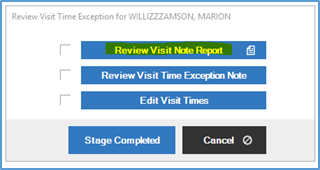
- Review the Visit Note.
-
Review visit documentation for accuracy. In-home time is listed at the top of the note. Review details including clinical assessment (for skilled visits) and aide care plan (for AIDE visits) to ensure complete and billable visit is performed.

-
- Click Review Visit Time Exception Note.
-
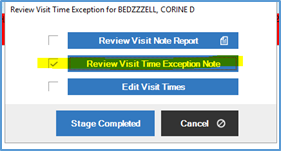
- This will bring you to the client’s coordination notes. Reviewing the visit note first will give you the user’s name and date of the encounter to search for the associated Visit Time Exception Note.
-
- Review the Visit Time Exception note.
-
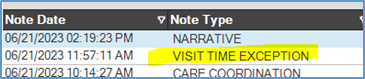
- PointCare users are instructed to document the reason for the visit time exception. They should include details regarding why the visit is shorter or longer than the expected duration. Contact the PointCare user for clarification or follow up if needed.
-
-
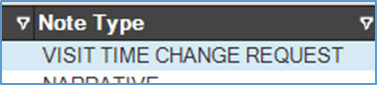
While in Coordination Notes, look for Visit Time Change Request coordination notes. The Visit Time Change Request coordination note goes to the Business Manager for visit time corrections. If the clinician makes a note in the visit time exception that the time is incorrect, they may also have included a Visit Time Change Request note.
-
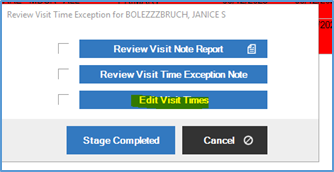
If applicable, select Edit Visit Times to correct the visit time information.
-
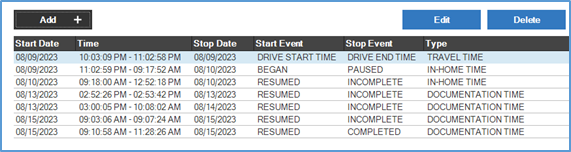
In-Home, Documentation, or Travel Time may be edited from here. The system will not let you overlap the times.
-
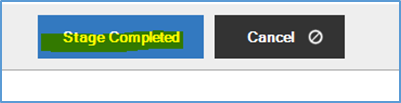
When complete, Stage Complete the task.
📅 Effective: 09.13.2023 | 🛠️ Revised: 05.15.2026 | ✅ Approved: JS, JFJ