
O-5-136 Set Up Zoom to Launch Automatically at Login
🎯 PURPOSE
By applying a setting to have Zoom launch automatically upon login, a user can prevent situations where they might forget to open the app at the beginning of their day. If a user forgot to launch Zoom on their desktop for their workday, this could result in them unintentionally missing phone calls and other notifications via the Zoom application. To avoid this, all users should apply this setting to their Zoom application in their work desktop.
🔄 PROCESS
-
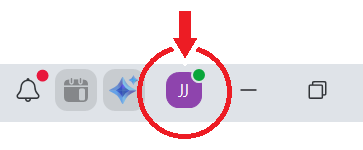
Logged into your Zoom application, look at the upper right corner of the Zoom window. Click the icon with your initials.
-
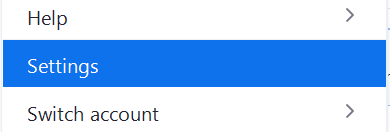
A menu will open. Click Settings.
-
Under General settings, scroll down to the Zoom Workplace App section.

-
Find the setting Auto-start Zoom Workplace. Select the toggle so that the setting is on. The setting change will save automatically.

- Close the settings window. The next time you log in, Zoom will launch automatically.