
O-11-606 Create Customized Letter for BCBS Auth Request with Approved Unsigned Verbal Order
🎯PURPOSE: This process outlines the steps to take to create a customized letter explaining our need to use an approved unsigned verbal order accompanying an authorization request, which is submitted with the authorization request as part of the supporting documentation.
Currently the only payer for which we need to use this process is BCBS MDCR Advantage.
If you encounter another payer that will not accept anything besides a signed verbal order, or think this process may be helpful to use with a payer besides BCBS MDCR Advantage, reach out to support@adarahomehealth.com for direction.
🔄PROCESS:
- In HCHB, navigate to the client's chart and locate the order(s) tied to the visits for which you will be requesting prior authorization from BCBS. Identify the order(s) statuses and types.
- For this process, the order(s) must be in APPROVED status but not signed by the physician. Click here for details on how to identify an order's status.
-
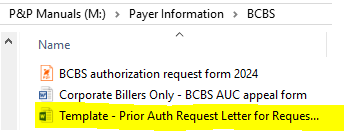
Navigate to P&P Manuals > Payer Information > BCBS and open the template highlighted below.
-
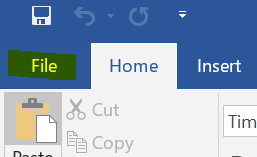
Viewing the document, select File in the upper left and then click Save As. Save the document to a branch folder for you to access. You will be creating a customized letter specific to that individual prior authorization request.
- In the template, text in red indicates the things that may be customized.
- Do not edit any other part of the document. If you feel something does not apply or should be edited, reach out to clinicalsupport@adarahomehealth.com for guidance.
- Find the two paragraphs in the screenshot below. Delete either of the two paragraphs that do not apply.
- If you are submitting a 485 order but no Add-On Discipline order (AOD), delete the 2nd paragraph in the screenshot below.
- If you are submitting an AOD order but no 485 order, delete the 1st paragraph in the screenshot below.
- If you are submitting both the 485 and an AOD, keep both paragraphs.
- If you are submitting more than one Add-On Discipline Order (e.g. a PT AOD and OT AOD), you may copy and paste the 2nd paragraph in the screenshot below so that you may add the details for both disciplines' orders. Add the word "second" at the beginning of the 2nd AOD paragraph ("The second Add-On....").
-
If you are using a different type of order besides a 485 or AOD, reach out to clinicalsupport@adarahomehealth.com for direction.
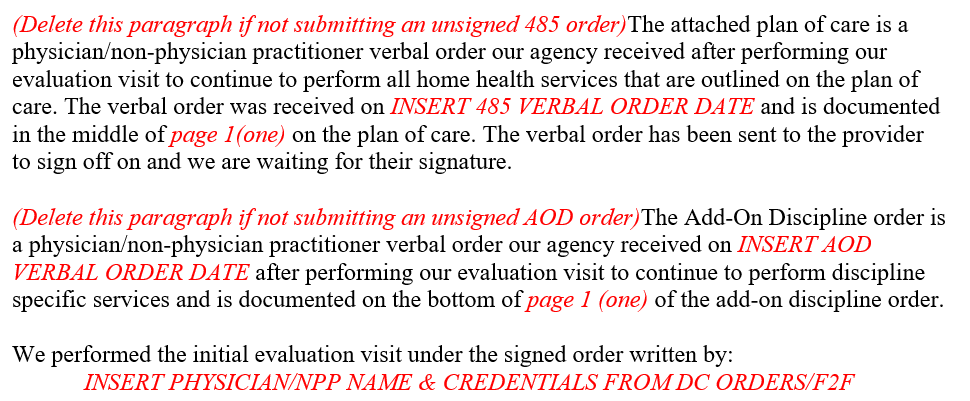
Screenshot of template (partial page view)
- Find each order's verbal order date.
- In HCHB, looking at the list of orders, the verbal order date has its own column:
-
Note: In some cases, the verbal order date may be different than the order date, the date the document was created.

- Insert the verbal order date for each order in its designated paragraph where the red text states "INSERT....ORDER DATE". Each verbal order date is specific to that order.
-
On each order, locate the visit frequency, taking note of the page number on which the frequency is located. The frequency location varies from order to order depending on the order's contents. See examples:
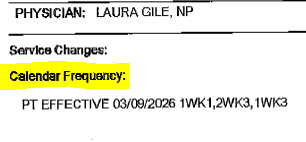
Example of visit frequency from an AOD order
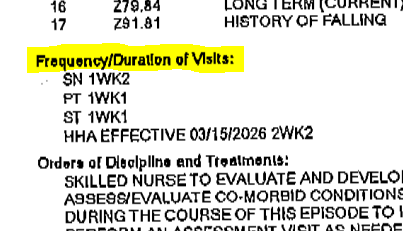
Example of visit frequency from a 485 order -
Update the template (as needed) so that the page number indicating the location of each order's visit frequency is accurate in the letter.

Example of the location in the template where the page number may need to be updated. - In Patient Attachments, locate the F2F or Signed DC Orders and review the document to ensure it clearly identifies the ordered home health services we are requesting, signed by a physician/NPP. Here is an example (the document must include both):
-

Example of DC Orders for Home Health PT and OT services -
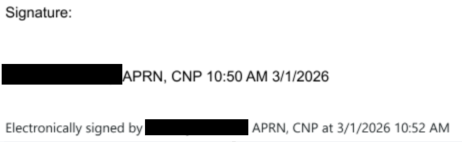
Example of a physician/NPP signature on DC Orders for home health. -
If you need guidance or are unable to locate a document that clearly states the ordered home health services with a physician/NPP signature reach out to clinicalsupport@adarahomehealth.com for guidance.
Enter the name and credentials of the physician/NPP who gave the initial orders for home care on the DC Order or F2F.

Screenshot from letter template. - NOTE: This physician/NPP who gives the original order for home care is sometimes different that the PCP listed in HCHB. We cannot just automatically use the client's PCP in this field - it must match how it's listed in the hospital/facility DC orders for homecare or F2F (whichever document we are providing with our request).
-
- Make sure that no red text remains throughout the document. If the areas you filled in are still in red text, change the font to black.
-
Here is an example of a sample document submitted with an 485 and AOD which has its fillable fields completed.
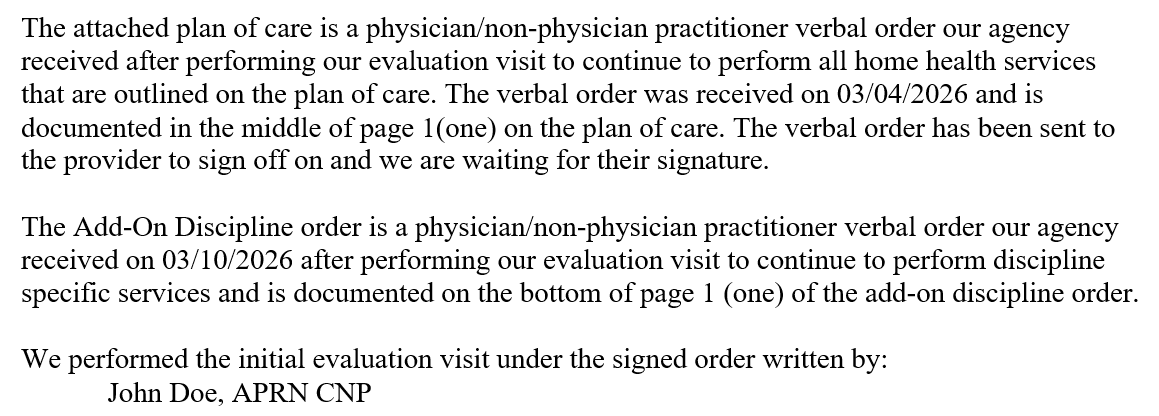
Example of a completed template (partial page view).
-
- Export the document as a PDF, and submit with the BCBS authorization request with additional supporting clinical documentation as directed here.
