
O-11-390 Review-Edit Clinical Summary Pathway
👤 RESPONSIBLE POSITION | ROLE
Clinical Supervisor
Clinical Quality Specialist
Clinical Compliance Specialist
🎯 PURPOSE
This process identifies the steps to review and update the Clinical Summary pathway in the back office as needed during clinical review.
🔄 PROCESS
-
The SBAR/Summary can be reviewed/edited in Edit POC Order:

- Re-order sequence so Clinical Summary prints at the top of the 485:
-
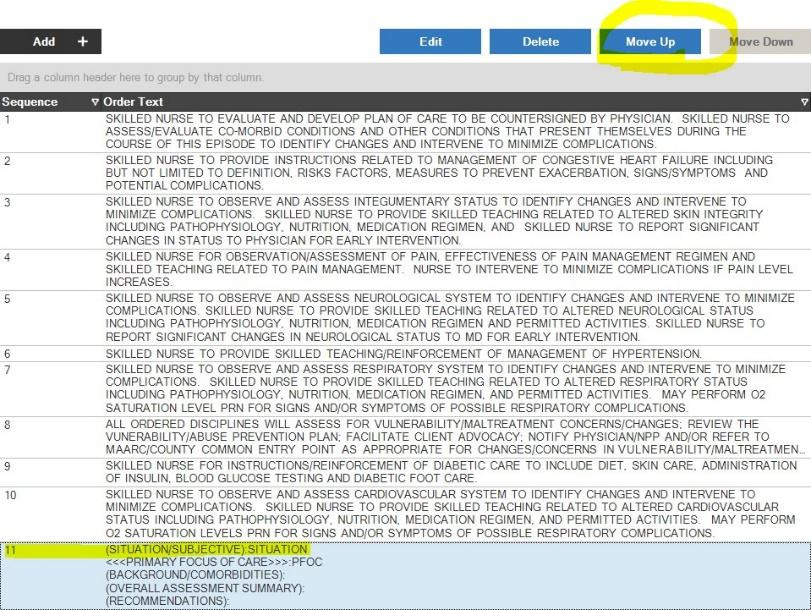
Select appropriate pathway, select Move Up to move to top:
-
-
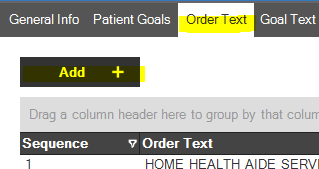
If the summary is missing, select Order Text and Add to add treatment code:
-
Select appropriate treatment code to add pathway:
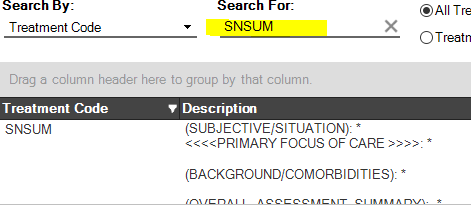
- Each discipline has a specific treatment code:
- Clinical Summary (SOC/ROC): SUM
- Functional Limitations : FUN
- Recertification Summary: 999
- Follow Up/Change in Condition: FU
- Each discipline has a specific treatment code:
-
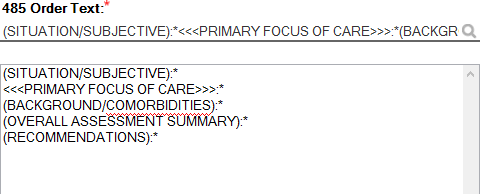
Obtain narrative information from clinician and edit text:
-
-
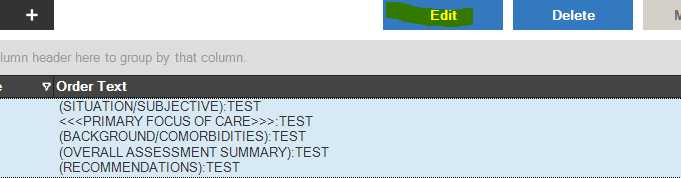
If the summary/SBAR is present but needs to be edited, select the appropriate pathway and click Edit:
-
Utilize spell check as resource available:

-
-
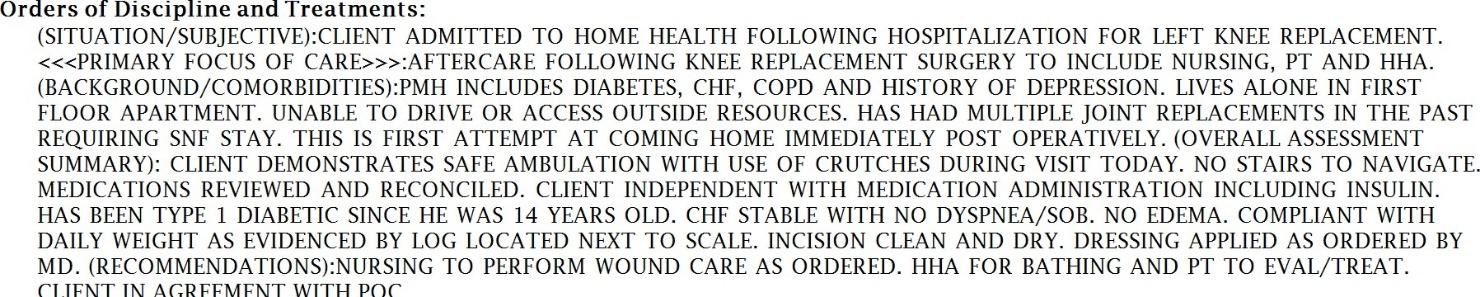
When POC is approved, SBAR/summary will print to the 485 to be sent to the physician:
📅 Effective: 04.14.2023 | 🛠️ Revised: 10.20.2026 | ✅ Approved by: JS