
O-11-105 On-Site Supervisory Renewable Requirement
🎯 PURPOSE
Employees providing direct client care must be scheduled for on-site supervisory visits by a supervising Registered Nurse. Refer to HR-1-520 Supervisory Visits- On Site Evaluation for additional details regarding the policy. This process outlines how to enter the Renewable Requirement in HCHB to ensure appropriate tracking and compliance.
🔄 PROCESS
-
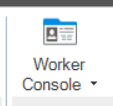
Go to the Worker Console.
-
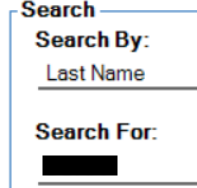
Search for the worker.
-
Double-click the worker name to open worker profile.

-
Select the Renewable Requirements tab.

-
Select Add.

- For Licensed/Professional Field Staff:
-
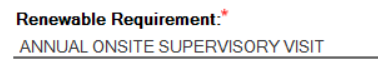
Search/select Annual On-Site Supervisory Visit:
-
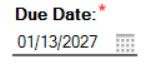
Add Due Date (one year from date of hire or most recent completed on-site supervisory visit):
-
Select Save & Close:

-
- For Unlicensed/Paraprofessional Field Staff (Aide/HMK):
-
NOTE
Aide/HMK Staff require two on-site supervisory visits each year. Both renewable requirements must be added.
-
Search/Select Aide/HMK Semi-Annual On-Site Supervisory Visit (1):

-
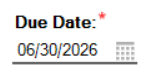
Add Due Date (6/30/XXXX)
-
Select Save & Close:
-
Search/Select Aide/HMKR Semi-Annual On-Site Supervisory Visit (2):

-
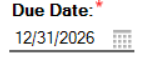
Add Due Date (12/31/XXXX)
-
Select Save & Close:
8. Once added to the list, the worker profile can be saved.


📅 Effective: 01.13.2026 | 🛠️ Revised: 10.19.2026 | ✅ Approved: JS